Content Creator Startup Costs: What to Buy and What Can Wait
You’ve seen the YouTube home studio tours with neon lights, designer mics and that unmistakable low-key flex: “This is just my minimal setup.” In reality, most people curious about content creator startup costs don’t have a blank cheque, a sponsorship deal or a home office ready to convert. Whether the end goal is YouTube, TikTok, Twitch or a professional podcast, one principle stands above all: Spend strategically, not reactively.
Before breaking out the credit card, it’s critical to understand what actually drives quality, trust and growth—and what just looks impressive on camera. Let’s examine the real startup costs for creators, where to allocate your first dollars and how to apply lean creator resource planning to avoid financial regrets.
Match Equipment to Your Content Format
Every platform and genre creates wildly different technical demands. Bespoke interviews, reaction videos, studio podcasts and hand-held IRL streams all have distinct essentials—and costly mismatches are common. For example, a gameplay commentator will obsess over screen-capture software and a high-refresh-rate monitor, while a travel vlogger needs gimbal stabilisation, wind-resistant mics and batteries that last longer than an airport layover.
The key is this: Build your initial equipment list around the content format and audience expectations, not around what successful creators happen to be showcasing. Ask:
- Video-first content (YouTube, TikTok): Reliable camera (often a mid-range smartphone’s rear lens), decent external mic, basic tripod and simple lighting. 4K is optional unless your niche demands pixel-perfect visuals.
- Audio-first content (podcasts, voiceovers): Quality microphone, sound-reducing space (sometimes as DIY as recording in a walk-in closet), basic audio interface for XLR mics. Cameras may be unnecessary at launch.
- Livestreaming (Twitch, Instagram Live): Webcam or phone with robust livestreaming support, ring light, microphone (clip-on or USB), and stable, high-speed internet above all.
- Photography-based content (Instagram, blogs): Camera only needs to handle stills with good dynamic range. Dedicated lighting becomes more important than microphone quality.
This targeted approach counters impulse spending—the bane of creator startup budgets. Resist the urge to get “everything creators use” and instead interrogate what your own format truly requires to match both audience tolerance and competitive benchmarks. Over-equipping burns capital better spent on content promotion, editing skills or audience engagement tools.
Start With the Devices You Already Own
Before you rush into buying a new mirrorless camera or a $400 microphone, take inventory of all the gear already at your disposal. Nearly every modern smartphone (from the iPhone 12 to the Samsung Galaxy S21 and later) has a camera and microphone that outpace the DSLR setups some YouTube stars started with. Many creators have launched entire careers shooting crisp 1080p video and snagging viral reach right from their phone.
Some questions to consider before spending:
- Does your laptop or desktop handle basic video editing and livestreaming software (like OBS or Final Cut)?
- Do you have access to household lighting, like desk lamps, for soft fill light?
- Is there a quiet, aesthetically neutral space at home for recording?
This approach is the hallmark of lean creator resource planning—the discipline of testing an idea with minimal sunk cost. There’s no shame in launching with existing tools. In fact, it’s a practical risk test: If you can build an engaged audience with “good enough” production, upgrade investments become justifiable—and often, brands will be interested in sponsoring your gear once you’ve proven your content resonates.
Realistically, “I’ll upgrade when this iPhone camera holds me back” beats “I just bought a $1,000 Sony and haven’t posted my first video yet.” The hidden trade-off: New equipment adds complexity, setup time and often a learning curve that can stall momentum. Focus on story and consistency. That’s a universally scarce asset—hardware isn’t.
Budget for Audio and Lighting
Even if your video is shot in crystal-clear HD, poor audio will turn away viewers far faster than a slightly grainy picture. Audiences expect clear, non-distracting sound. Similarly, good lighting can elevate even a modest camera into producing content that looks polished and professional. These two categories often provide the biggest quality jump for the smallest investment.
| Essential Gear | Entry Price Range (USD) | Notes |
|---|---|---|
| Lavalier Microphone (Wired/USB) | $20 – $50 | Great for dialogue, vlogging, basic voiceovers. |
| USB Condenser Microphone | $60 – $130 | Podcasting, gaming and livestreams. Popular: Blue Yeti or Audio-Technica. |
| Ring Light or LED Panel | $25 – $70 | Transforms natural shadows and enhances basic phone/laptop cameras. |
| Softbox Light Kit | $50 – $120 | For larger sets, control over ambience/softness in studio spaces. |
| Acoustic Panels/Foam | $20 – $80 | Improves sound quality in echo-prone rooms (optional at launch). |
Resist the trap of overspending on camera gear while neglecting these basics. Even creator superstars, when troubleshooting their own archives, will admit they lost audiences early on due to harsh echoes or fluorescent glare.
There’s real evidence from platform analytics: Improved sound and lighting often directly increase average watch time—a proxy for engagement, which drives algorithmic visibility. In practical terms, that means dollars spent here pay back faster in both professional perceptions and platform recommendations.
Include Editing and Storage Costs
Content quality isn’t just what you shoot, but how you edit. Whether you’re cutting jump-cuts for YouTube, stitching Reels or adjusting an audio podcast track, your editing pipeline needs both tools and storage. Many newcomers overlook these as “hidden” content creator startup costs, only to get stuck when free apps hit a watermark or a hard drive fills up mid-export.
Consider the core trade-offs:
- Free vs. Paid Software: Solutions like DaVinci Resolve (video) and Audacity (audio) are free, open-source and robust, but may require a steeper learning curve than subscription-based products like Adobe Premiere Pro or Adobe Audition.
- Cloud vs. Local Storage: As video files multiply, creators are forced to either regularly offload to cloud services (like Google Drive or Dropbox) or invest in external SSDs. Entry-level cloud storage starts at $2-$10 per month; a 1TB SSD costs around $60-$100.
- Hardware Bottlenecks: Older laptops may struggle with HD rendering or multitrack audio. Consider holding off on pure hardware upgrades until you’re consistently producing demanding content.
The practical workflow: Start with free essentials until upgrading makes a measurable difference to your workflow speed or output quality. Track how much time you spend waiting on exports or managing files. If editing time exceeds shooting time, or you’re forced to delete projects to save space, it’s time to factor paid tools or extra drives into your lean creator plan.
Account for Your Production Time
No gear, app or hack compares to the value of your own time. Yet for new creators, it’s easy to skip this line item because “it’s just a hobby right now.” In reality, production time—the hours spent scripting, recording, sourcing b-roll, editing, uploading, and responding to comments—quickly overtakes equipment as the real startup cost.
Let’s look at the numbers: A three-minute, well-edited YouTube Short often takes a beginner 2–6 hours from planning to upload. A 30-minute podcast can eat up a weekend. If your goal is eventual monetization, treat these hours like billable time. Ask yourself:
- If you spend 10–15 hours a week on your content, what’s the opportunity cost (e.g., freelance work, a side hustle, downtime)?
- Is your workflow sustainable after the initial excitement wears off? Burnout is rampant when hobby schedules collide with inconsistent returns.
- Would outsourcing small tasks (fiverr, Upwork, editing freelancers) allow you to publish more consistently?
Considering time as a startup cost isn’t about putting a dollar value on your creativity. It’s about treating your effort as finite and rationed. A “lean creator” calculates whether their investment (in both money and energy) is scalable or prone to exhaustion. By building realistic schedules and tracking workflow bottlenecks, you’re investing in longevity, not just the next viral video.
Set Clear Upgrade Triggers
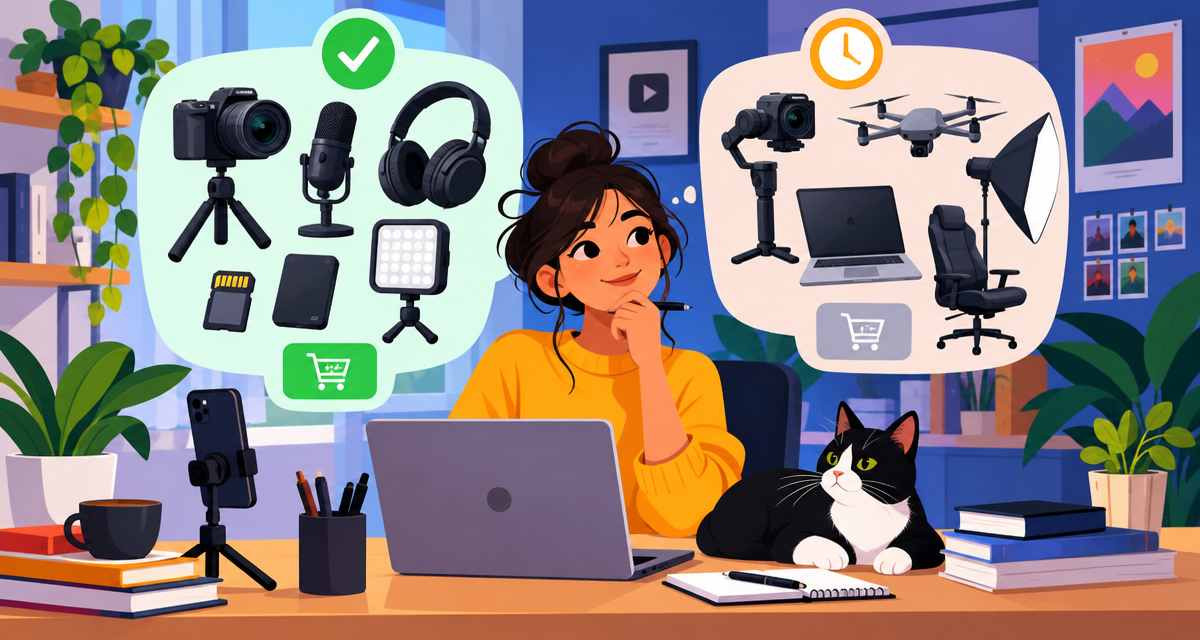
Impulse upgrades—“That streamer switched to a DSLR, maybe I should too”—lead to more abandoned tripods than viral hits. In lean creator resource planning, every major gear investment, software upgrade or outsourcing decision should be tied to clear, measurable performance triggers.
Establish upgrades based on:
- Consistent technical limitations: For example, if your audio peaks or distorts weekly, an upgraded mic is justified.
- Audience feedback: Comments consistently mentioning hard-to-hear vocals or blurry video? Time to step up.
- Workflow choke points: Spending more time fixing gear issues than creating? Smoother tools will deliver more output for less hassle.
- Platform demands: View counts, subscribers or brand proposals plateauing due to production quality? Strategic upgrades can be the lever that unlocks new opportunities.
Here’s a practical mindset: Instead of setting a budget ceiling and racing to fill it, set content goals—number of uploads, engagement growth, or a monetisation milestone. When your gear or software becomes the main barrier, not your skills or consistency, that’s your cue for a targeted investment.
Strategic upgrades work like business growth metrics—not emotional reactions to the latest affiliate gear haul. The hidden upside? You keep the space, time and financial freedom to experiment as platforms and audience tastes evolve.
Final Thought: Spending Smart Is a Creative Superpower
Matching your content creator startup costs to your real needs, not social media peer pressure, is what separates serious beginners from regrettable impulse buyers. Every device, subscription or piece of software should solve an actual audience problem, streamline your workflow or remove a tangible creative bottleneck.
Startup costs are not a fixed entry ticket. They’re an ongoing series of smart, evidence-based decisions aligned with your niche, skill level and future plans. Embrace the lean approach, keep your upgrades deliberate, and you’ll launch faster—with both your bank balance and your sanity intact.